Introducing SF Balloons

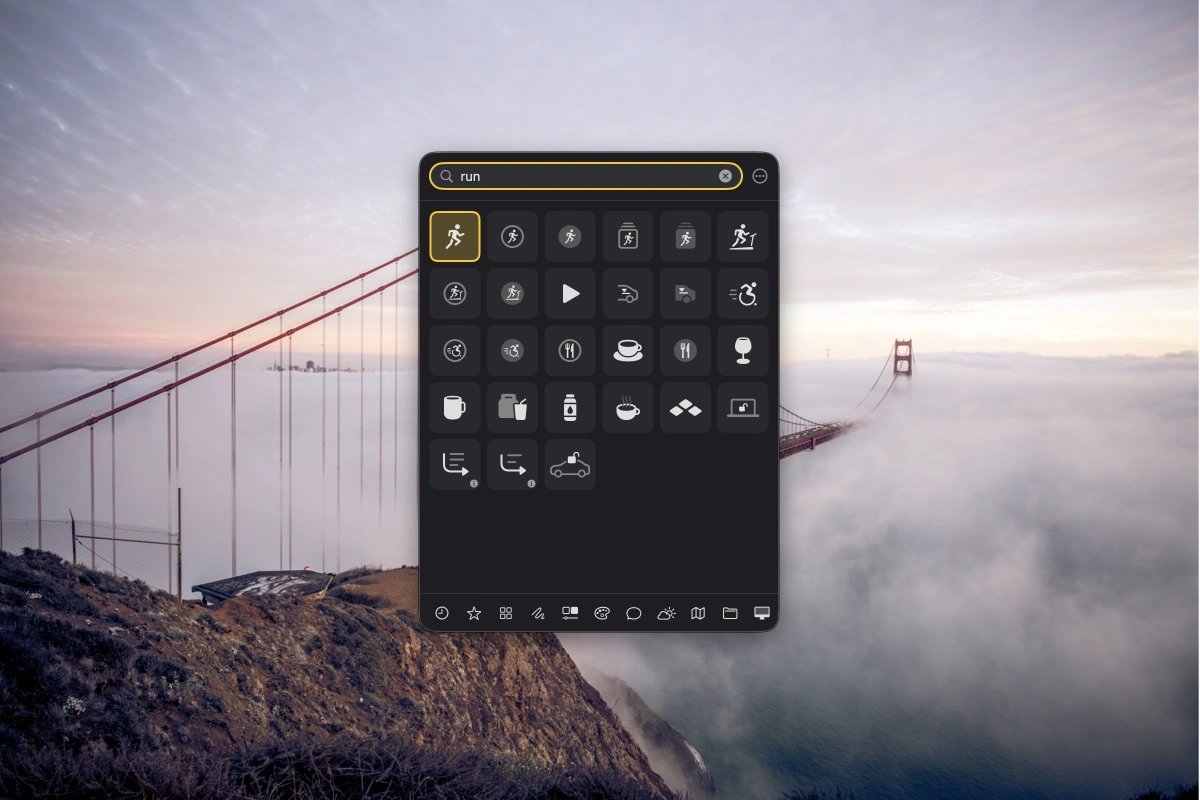
My second Mac app is now available: SF Balloons. The app makes it easy to search for and use SF Symbols in design and coding apps.
Why I Built It
Until recently, I was using SFMenuBar. However, the app hadn’t been updated in years, and the database was incomplete: some symbols were missing. I’d long wanted an SF Symbols app that was as easy to use as macOS’s Emoji Picker, so I built it myself.
I use SF Symbols almost every day, both for design work and coding. This is what makes SF Balloons so useful to me: the app works just as well in design programs like Figma or Sketch as it does in code editors like Xcode. It covers both worlds.
What It Can Do
The biggest advantage over Apple’s own SF Symbols app is that you can search in your own language. SF Balloons currently supports nine languages natively, with more to come. For instance, if I don’t know the English word for a symbol or can’t describe it, I can simply search in German.
Symbols you use frequently can be saved as favorites, so you don’t have to search for them every time. There’s also a history feature, and if you like, you can preview the animation for a symbol.
If you don’t like the tile view, you can switch to list view. The most important thing for me was that the app stayed smooth and fast even with over 7,000 icons. After all, it’s designed to do one thing well: help you quickly find the right symbol.
Where the Name Comes From
SF Balloons is named that way because the panel hovers over other apps, much like a balloon. And since balloons are a fun thing to play around with, there are balloons in the app too: when you open a knot, they either pop or go whizzing across the screen.
Try It Yourself
I already use SF Balloons every day, and it really saves me time. It’s just a little tool for spare moments, so I hope others find it just as useful as I do. You can download it on the App Store (opens in a new tab), for free.